Create an Excel macro, put that macro in a .BAS file and then use this script to apply that macro to any Excel file.
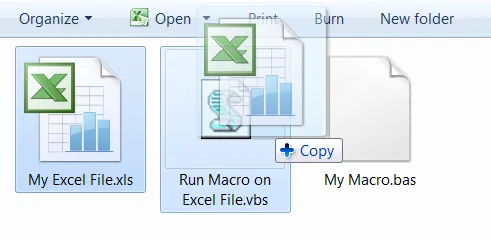
Here is the VBS file, written in WSCRIPT:
if WScript.Arguments.Count < 1 Then
    WScript.Echo "Drop file on to me to process."
    WScript.Quit
End If
MyPath = Left(Wscript.ScriptFullName, Len(Wscript.ScriptFullName) - Len(Wscript.ScriptName))
Set oExcel = CreateObject("Excel.Application")
Set oBook = oExcel.Workbooks.Open(Wscript.Arguments.Item(0))
Set oVBC = oBook.VBProject.VBComponents
oVBC.Import(MyPath & "\My Macro.bas")
oBook.Application.Run "Macro1"
WScript.Echo "Done"
To make this work, you need to configure Excel properly:
- Excel -> Options -> Trust Center -> Trust Center options -> Macro Settings
- TURN ON Trust access to the VBA project object model
▧
Comments
There are no comments yet.
Please discuss this topic anywhere and let me know any great comments or media coverage I should link here.